
LeadFinder screen: Filters, credits and results
Find high-quality leads with SmartReach LeadFinder. Search 300M+ verified contacts and 50M+ company profiles using advanced filters to discover and engage your ideal prospects
The lead finder in SmartReach helps you discover high-quality prospects using targeted filters. Finding and importing leads
Lead Finder Credits
Finding phone number costs 30 credits, while finding both email and linkedln costs 5 credits.
Left panel lead filters:
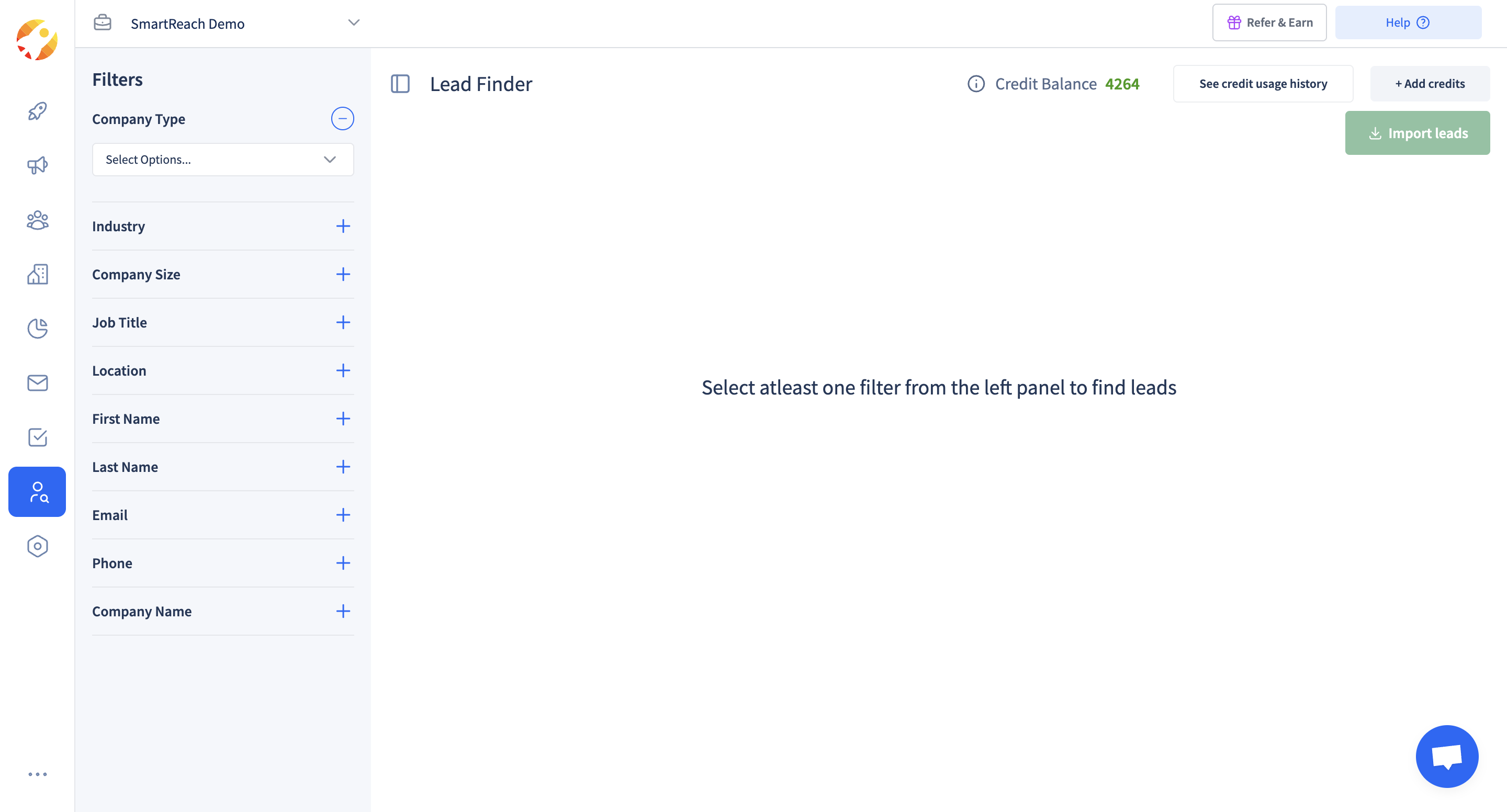
Apply filters to target your ideal prospects:
- Company type - Filter by business category
- Industry - Target specific sectors
- Company size - Filter by employee count
- Job title - Find specific roles
- Location - Target geographic areas
- First name/Last name - Search for specific individuals
- Email/Phone - Find verified contact information
- Company name - Search for prospects at specific companies
Note: Select at least one filter to start searching for leads.
Center panel search results:
- Empty until filters applied - Results appear after selecting filter criteria
- Lead listings - Shows matching prospects based on your filters
- Lead details - Displays contact information and company data
- Selection options - Choose specific leads for import
Top bar credit management:
- Credit balance - Shows remaining lead credits available
- See credit usage history - Track where and how credits are used
- Add credits - Top-up your credit balance when needed
Top right lead actions:
- Import leads - Click to import selected leads directly into your campaigns
New to LeadFinder, or comparing plans? Start with the B2B LeadFinder overview.
Updated about 2 months ago
Learn About
Did this page help you?