
LinkedIn semi-automation
SmartReach LinkedIn semi-automation guide: Safe, personalised outreach with manual task control. Avoid account restrictions while running organised LinkedIn campaigns.
Plan Requirements
- LinkedIn Semi- automations are available with the Sales Engagement plans only.
- Available on trail
How to add your LinkedIn account for semi-automations
Step by step instructions
- Step 1: Install the SmartReach Extension
- Step 2: Navigate to LinkedIn Settings
-> Settings -> LinkedIn Accounts under General settings - Step 3: Add Your LinkedIn Account by submitting the details of your account
-> Linkedin URL
-> Linkedin login country (this is where you use the account from)
-> Choose an account owner from SmartReach - Step 4: Click on "continue without automations"
How to set up a LinkedIn semi-automation campaign
- Step 1: Click on create a new campaign -> Select Drip campaign. [Learn more about Drip campaigns]
- Step 2: Add Prospects. [Learn how to add prospects]
- Step 3: Next, in the content step, build your LinkedIn sequence using the "manual steps" touch points.
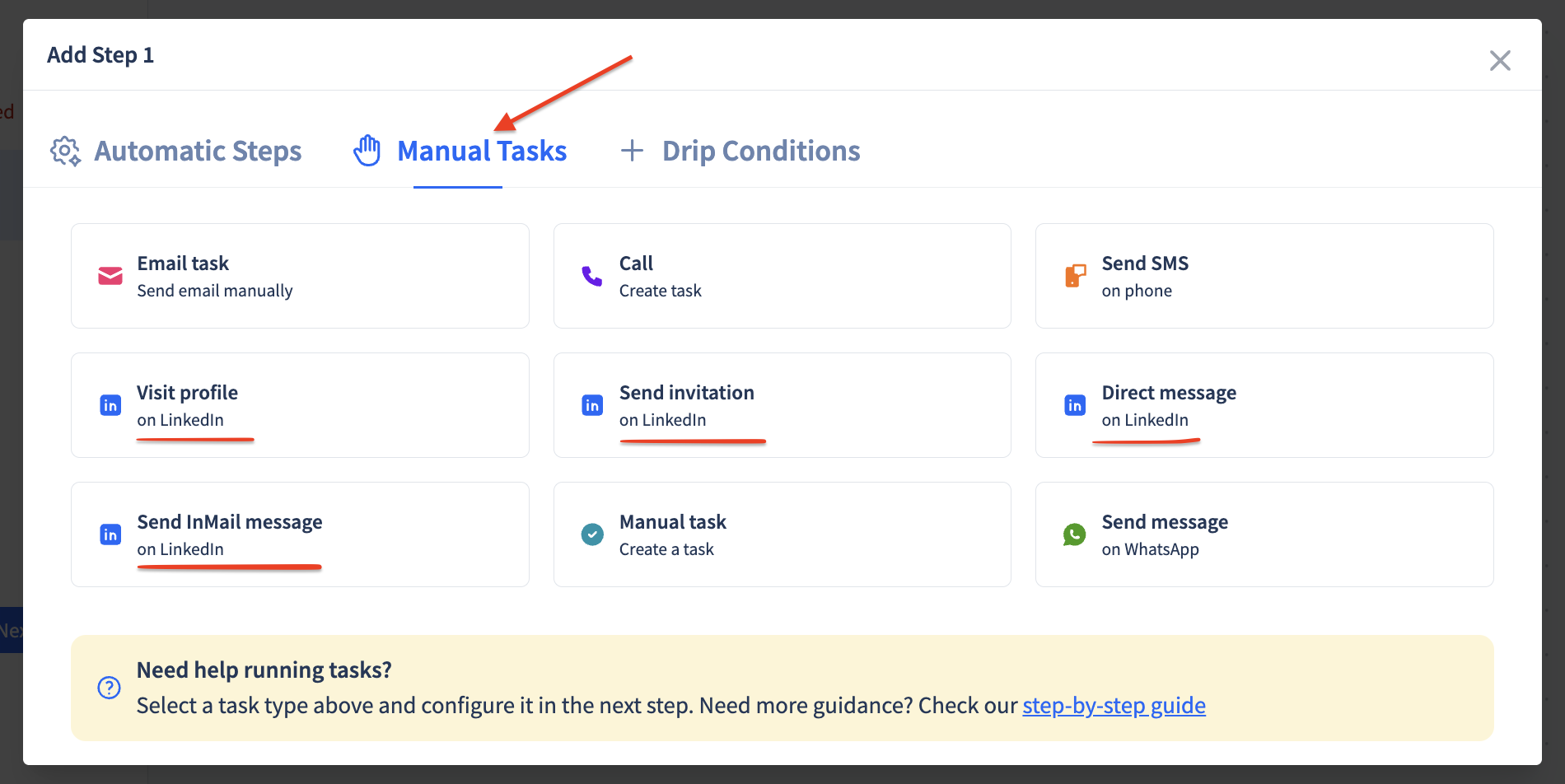
- Step 3: Launch and Execute Tasks via the tasks page.
Executing semi-automation tasks
- Step 1: Navigate to tasks: Go to the Multichannel Tasks section
- Step 2: Execute actions: Use the SmartReach browser extension to perform LinkedIn actions
FAQs
Q: Do I need LinkedIn Premium for semi-automation?
A: LinkedIn Premium is only required if you want to send InMails. All other actions work with free LinkedIn accounts.
Q: What happens if I don't complete tasks immediately?
A: Tasks remain available until completed. However, timely execution ensures your campaign sequence flows as intended.
Q: What plan includes the LinkedIn manual tasks?
A: With our Sales Engagement plan, you can run semi automated, manual LinkedIn tasks.With our Sales Engagement plan, you can run semi automated, manual LinkedIn tasks.
Updated 22 days ago
Did this page help you?