
Activate AI Warmup Agent
Learn how to activate email warmup for your email accounts purchased through SmartReach to build sender reputation and improve cold email deliverability
How to activate AI Warmup Agent for mailboxes purchased via SmartReach.io?
**Follow these steps to activate AI warmup agent for mailboxes purchased via SmartReach.io
- Click Settings from the left-side panel
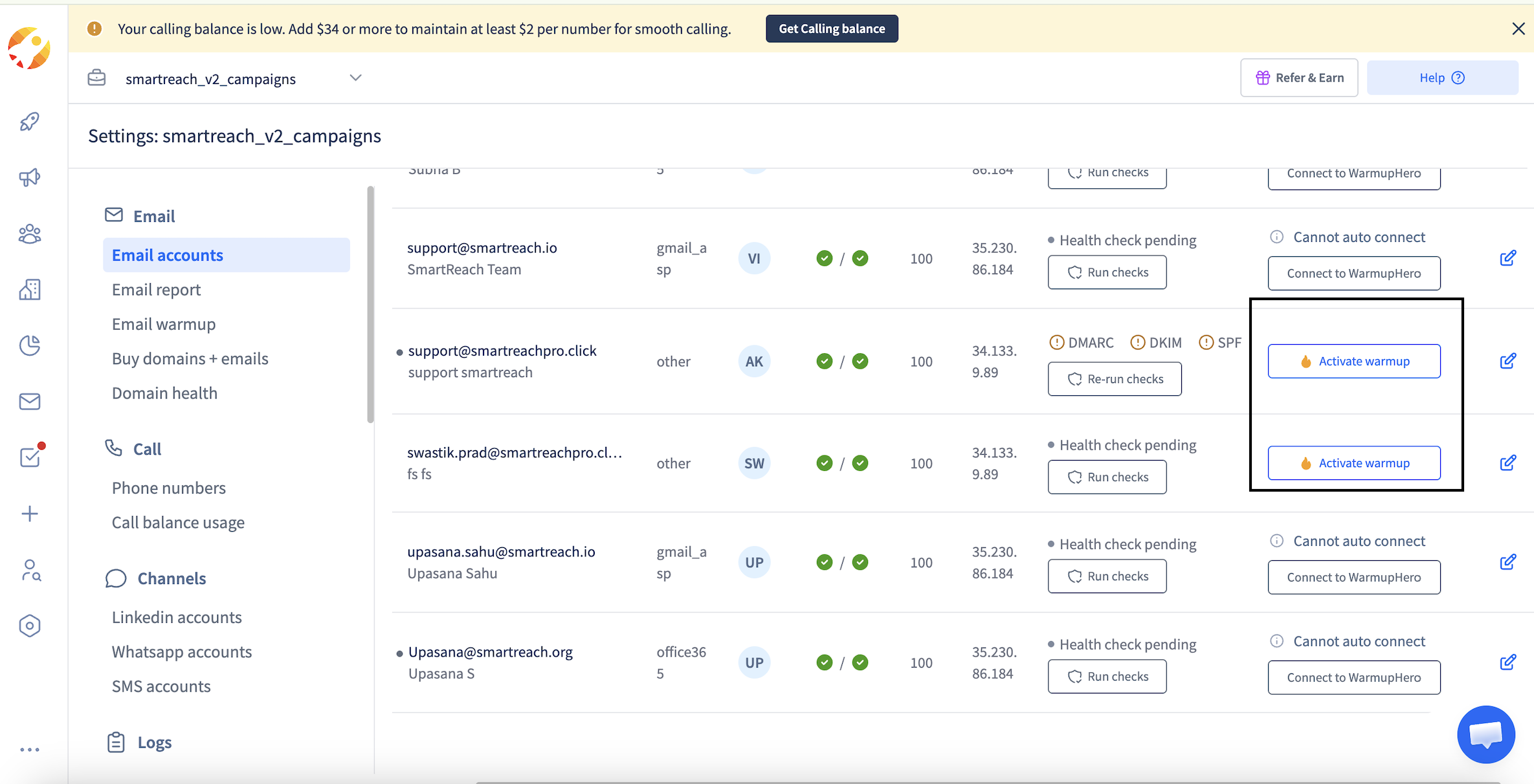
- Select Email Accounts from the settings menu and find the email account you want to warm up from the list. Then click the Activate Warmup button located next to the email account. Your warmup process will begin automatically once activated.
Plan availability
Email warmup is available on all SmartReach plans. The number of emails that you can warm up depends on the plan of choice.
Can I warmup Microsoft365 mailboxes purchased via SmartReach.io
Microsoft accounts do not support automated email warm-up processes. Due to Microsoft’s strict security policies and sending regulations, warm-up activities are restricted and cannot be performed on these accounts.
How do I warmup mailboxes purchased from other sources
To know more about warming up emails purchased through another provider please use this link https://help.smartreach.io/docs/signing-up-for-warmuphero
Updated 8 months ago